
1. Login to careinadvance.com. Once you are logged in, go to the Hot Prospects box on the homepage. Click the number based on the section of leads you want to call and/or email. Hot leads are leads that have been added in the past 30 days.
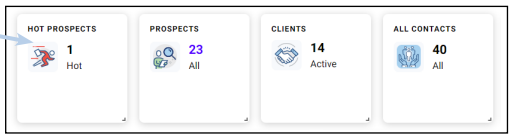
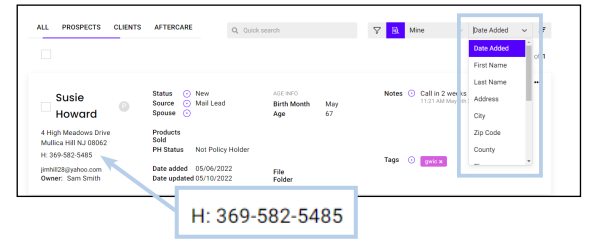
2. Work Your Hot Prospects: When you click on the number you will get the list of these prospects. You can call right from this view. You can sort by using the dropdown menu on the right-hand side and choose ascending or descending.
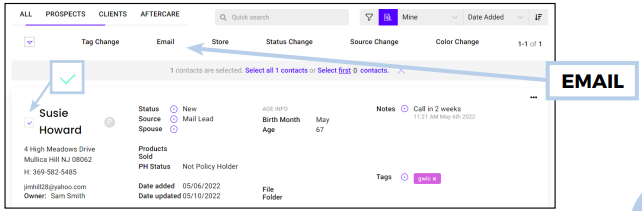
3. Emailing a Hot Prospect: If there is an email address for the lead, you can email right from this screen by clicking the box to the left of the name and then the Email button in the navigation bar.
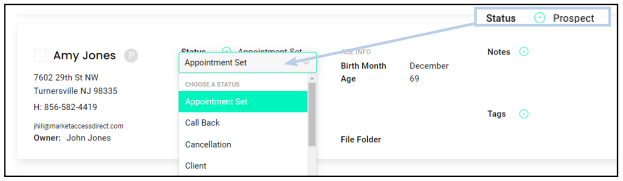
4. Updating the Status of the Prospect: The best way to keep your prospects organized is to update the Status. You can update status by clicking the next to status and choose the new status. Status updates show you where you are in the sales cycle with the lead. Was an appointment set? Do you need to call back? Changing status will keep track of the outcome of your prospecting efforts.
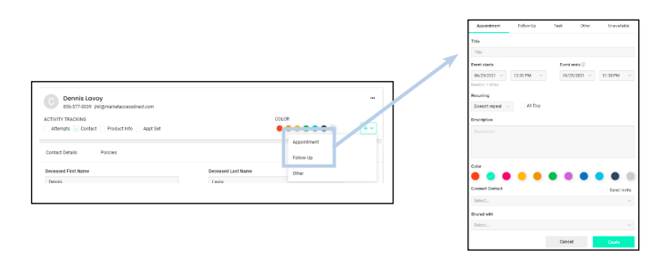
5. Follow Up: Once you update the Status, add the Appointment Date and Time, or pick a date to try to contact the lead again. Perhaps after working hours or early in the morning. If you add a date and time to the Follow Up section, you will get a reminder email the night before so you will be sure not to miss an appointment or follow up date. Be sure to click save once you are finished.
These 5 simple steps help you make the most of your leads Page 6 – Replace both Pictures and add highlights like old photo and your time – one touch contacting via phone or email, status tracking so you know where every lead is in the sales cycle and reminder emails for your follow up events.